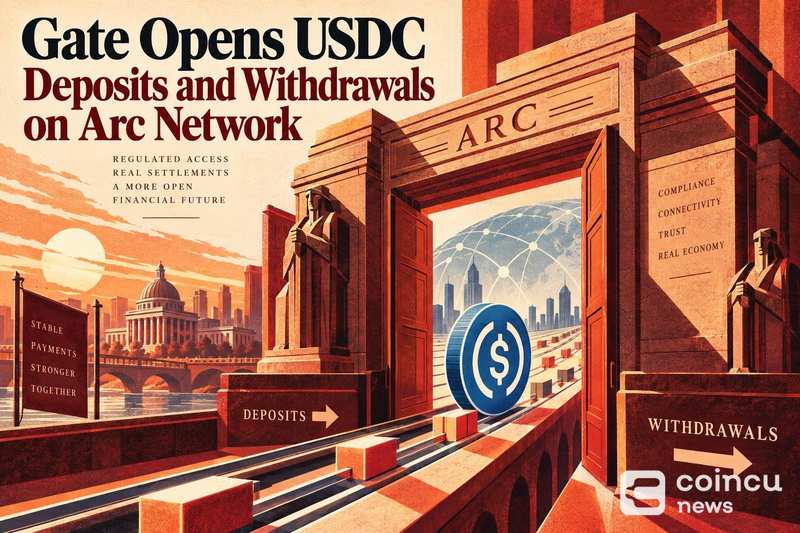
Gate has enabled USDC deposits and withdrawals on Arc Network following a completed integration, giving users a new transfer route for the dollar-pegged stablecoin on the exchange. Gate Enabl
Gate has enabled USDC deposits and withdrawals on Arc Network following a completed integration, giving users a new transfer route for the dollar-pegged stablecoin on the exchange.
Gate Enables USDC Deposits and Withdrawals on Arc Network
The exchange confirmed that both deposit and withdrawal functions are now live for USDC via Arc Network, per a Gate announcement on X, expanding the number of supported transfer paths for the stablecoin on the platform. Arc Network is positioned as an economic operating system built around stablecoin-native infrastructure, per Circle's Arc mainnet launch.
Users transferring USDC between Gate and external wallets can now select Arc Network as the transfer network, provided the counterparty address or platform also supports Arc. Network mismatches, where the sender selects Arc and the recipient expects a different chain, remain the most common source of failed or delayed stablecoin transfers. The scale of that risk has grown as USDC inflows across exchanges have surged, with platforms like Hyperliquid recording single-day net inflows of $173 million at ten-month highs. For related coverage, see Hyperliquid USDC Inflows Hit $173M in One Day, Highest in 10 Months.
What the Arc Network Integration Means for Gate Users
The addition of Arc Network as a USDC transfer route expands optionality for traders and institutions routing stablecoin liquidity into or out of the exchange. Each supported network carries its own fee structure, confirmation times, and minimum transfer thresholds, details that Gate publishes on its deposit and withdrawal status pages and that users should verify before initiating a transfer. For related coverage, see Strategy Repurchases $139M of STRC After Bitcoin Pause.
USDC is increasingly used as a settlement layer in on-chain protocol revenue models, making the breadth of supported networks a meaningful factor for projects and institutions that route stablecoin flows through centralized exchange infrastructure. Adding Arc Network as a supported route positions Gate to capture transfers that originate from or target Arc-native wallets and protocols.
How to Deposit and Withdraw USDC via Arc Network on Gate
Depositing USDC
To deposit USDC through Arc Network, navigate to the Gate deposit interface, select USDC as the asset, and choose Arc Network from the network dropdown. The platform will display a deposit address specific to that network; copy that address, then initiate the transfer from your external wallet, selecting Arc Network on the sending side as well. Confirm the minimum deposit amount and any network fees displayed in the Gate interface before sending.
Withdrawing USDC
To withdraw USDC via Arc Network, open the Gate withdrawal page, select USDC, and choose Arc Network. Enter the destination address, confirm it supports Arc Network, then input the transfer amount. Gate will display the applicable network fee and minimum withdrawal threshold; review both before submitting, as withdrawals to an address that does not support Arc Network can result in delayed or unrecoverable funds.
Key Checks Before Sending USDC on Arc Network
The most critical step in any cross-platform stablecoin transfer is confirming the network matches on both ends. Sending USDC via Arc Network to a wallet or exchange that has not enabled Arc support will result in funds that do not arrive and may not be recoverable without intervention from support teams. Always verify the recipient platform lists Arc Network as a supported USDC deposit network before sending.
Users should also cross-reference the recipient address character-by-character, check Gate's current service status for any Arc Network maintenance windows, and confirm the transfer amount clears any posted minimums. Exchange-level USDC liquidity management depends on accurate network routing, and errors at the transfer stage can affect settlement timing across connected protocols.
FAQ: Gate USDC Transfers on Arc Network
Is USDC available for both deposits and withdrawals on Arc Network?
Yes. Gate's announcement confirmed both deposit and withdrawal functions are enabled for USDC on Arc Network following the integration.
How do I choose Arc Network for a USDC transfer?
Select USDC as the asset in Gate's deposit or withdrawal interface, then choose Arc Network from the available network options. The correct network must also be selected on the counterparty side. Gate's live transfer page shows current availability, fees, and minimums for each network.
What should I check before sending USDC?
Confirm Arc Network is selected at both the sending and receiving end, verify the destination address supports Arc, and review Gate's posted minimums and fees before submitting. For the most current status and thresholds, check Gate's official deposit and withdrawal pages directly, as these details can change without notice. Exchanges that manage on-chain infrastructure across multiple networks typically publish per-network status notices that reflect real-time availability.
Additional source references: source document 1.
Disclaimer: This article is for informational purposes only and does not constitute financial or investment advice. Cryptocurrency and digital asset markets carry significant risk. Always do your own research before making decisions.
The post Gate Opens USDC Deposits and Withdrawals on Arc Network was initially published on Coincu.