Uniswap Review 2026: Complete Beginner's Guide Who this guide is for: Anyone who has heard the word "Uniswap" and wants a straight answer on what it does, how to use it safely, and whether it
Uniswap Review 2026: Complete Beginner's Guide
Who this guide is for: Anyone who has heard the word "Uniswap" and wants a straight answer on what it does, how to use it safely, and whether it is worth your time. No prior crypto experience needed.
We tested this on three real devices (screenshots throughout are taken live, not stock photos):
- Desktop - 1440px wide screen (Windows laptop or iMac)
- Tablet - iPad at 1024px
- Phone - iPhone 16 Pro Max at 430px
What Is Uniswap? (Plain English)
Imagine you want to trade US dollars for euros. Normally you go to a bank or a currency exchange booth. The booth keeps a pile of both currencies, matches buyers with sellers, and takes a small fee. A traditional crypto exchange works the same way, except a company runs the booth and holds your money while you trade.
Uniswap throws out the booth entirely. Instead, it uses smart contracts (think of these as vending machines made of computer code, sitting on a blockchain, that automatically execute pre-programmed rules) to let you trade directly from your own crypto wallet. Nobody holds your funds. Nobody can freeze your account. The rules are written in code and enforced automatically.
The pools of currency that power these trades are not owned by Uniswap the company. They are contributed by everyday users called liquidity providers (people who deposit two tokens into a shared pool and earn a share of the trading fees in return).
In plain terms: Uniswap is a self-service crypto currency exchange that runs on the blockchain, requires no sign-up, and lets you swap one token for another directly from your own wallet in seconds.
Who built it? Uniswap was created by Hayden Adams, a mechanical engineer who taught himself Ethereum programming after being laid off in 2017. He launched the first version in November 2018. Uniswap Labs, the company behind the interface, is based in New York. The protocol itself is governed by UNI token holders through a decentralized governance process, meaning major changes require a community vote rather than a board-room decision.
Key facts (October 20, 2026):
- Live URL: https://app.uniswap.org
- Type: Decentralized exchange (DEX), meaning no company holds your funds
- Supported networks include Ethereum mainnet and Layer 2 networks such as Arbitrum (the default landing page currently loads the Arbitrum pools view)
- Trading fees vary by pool, typically 0.01%, 0.05%, 0.3%, or 1% per swap, set by the pool creator
- No account registration or email address required
- Non-custodial: your wallet, your keys, your tokens at all times
- UNI is the governance token used to vote on protocol changes
- Total value locked and volume figures: N/A (check docs), as live data was not available in the research material at time of writing
How Uniswap Looks on Your Device
We opened Uniswap on three different screen sizes and took real screenshots so you know exactly what to expect before you visit.
On a Laptop or Desktop Computer (1440px wide)
 The full Uniswap app shown at 1440px. The top navigation bar shows Swap, Explore, and Pool tabs. The main swap widget sits centre-screen with clear token selector dropdowns and an amount input field.
Best for: First-time users getting comfortable with the interface, anyone managing larger trades who wants to see all information at once, and liquidity providers checking their pool positions.
On a Tablet (iPad, 1024px wide)
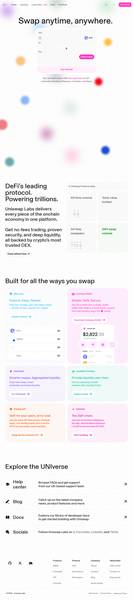 The tablet layout keeps the same core swap widget. Navigation remains accessible via the top bar. The layout adapts without hiding key controls.
Best for: Users who prefer a touch screen but want a slightly larger view than a phone provides. Good for reading token details before confirming a swap.
On a Phone (iPhone 16 Pro Max, 430px wide)
 On mobile, the swap interface stacks vertically. The Connect button and token selectors remain prominent. The experience is streamlined for quick swaps on the go.
Best for: Quick swaps when you are away from your desk. The mobile layout is clean, though reading detailed pool analytics is easier on a larger screen.
Bottom line on devices: Uniswap works well across all three screen sizes. Desktop gives the most comfortable experience for beginners because you can see all the information at once. Mobile is perfectly usable for straightforward swaps once you are familiar with the flow.
Core Features
Uniswap has grown from a simple swap tool into a broader DeFi (decentralized finance, meaning financial services that run on a blockchain without a traditional bank or broker) platform. Here are the main things you can do:
1. Token Swaps The core feature. Select any two tokens, enter an amount, and Uniswap finds the best route through its liquidity pools to get you the output token. The smart contract executes everything in one transaction. You never hand your tokens to a company.
2. Limit Orders Rather than swapping at the current market price, you can set a target price. If ETH is at $2,500 and you only want to buy if it drops to $2,200, you place a limit order (an instruction that sits waiting and only executes if your price condition is met). Uniswap introduced this feature to bring a familiar tool from traditional exchanges into the DEX world.
3. Liquidity Provision You can deposit a pair of tokens, say ETH and USDC (a stablecoin pegged to the US dollar), into a liquidity pool. Every time another user swaps between those two tokens, they pay a fee, and you earn a share of that fee proportional to your contribution. This is called being a liquidity provider (LP).
4. Pool Analytics (Explore Tab) The Explore section shows you live data on pools: trading volume, fee earnings, and the current price range. This helps LPs decide which pool is worth joining.
5. Multi-Network Support Uniswap runs on Ethereum mainnet and several Layer 2 networks (faster, cheaper blockchains that settle transactions on Ethereum, like Arbitrum and Optimism). Switching networks lets you access lower transaction fees.
6. Uniswap Wallet Integration Uniswap Labs offers its own mobile wallet app, making it easy to use the DEX without relying on a third-party wallet if you prefer a one-stop solution.
Fee Schedule
Uniswap does not charge a single flat platform fee. Instead, fees are set at the pool level. Each liquidity pool chooses its fee tier when it is created.
Fee Tier
Typical Use Case
What It Means for You
0.01%
Stable pairs (e.g., USDC to USDT)
Almost no cost, used where prices barely move
0.05%
Closely correlated pairs (e.g., ETH to stETH)
Very low fee for near-identical assets
0.30%
Standard pairs (e.g., ETH to USDC)
The classic Uniswap fee, applies to most common swaps
1.00%
Exotic or new tokens with high volatility
Higher fee compensates LPs for greater risk
Beyond the pool fee, every transaction on a blockchain requires a gas fee (a small payment to the network validators who process your transaction). Gas fees are not collected by Uniswap. They go to the network. On Ethereum mainnet, gas can range from a few dollars to tens of dollars during busy periods. On Layer 2 networks like Arbitrum, gas is typically a few cents to under a dollar.
Uniswap Labs introduced a small interface fee (applied on certain token pairs when using the official app) in 2023. This fee is separate from the LP fee and was set at 0.15% on select swaps. Check the swap confirmation screen for the exact fee breakdown on any given trade, as fee structures can evolve through governance votes.
No subscription fees. No account fees. No withdrawal fees. You only pay when you transact.
Step-by-Step Tutorial
Step 1: Open Uniswap and Connect Your Wallet
Go to https://app.uniswap.org and click the "Connect" button in the top-right corner of the page.
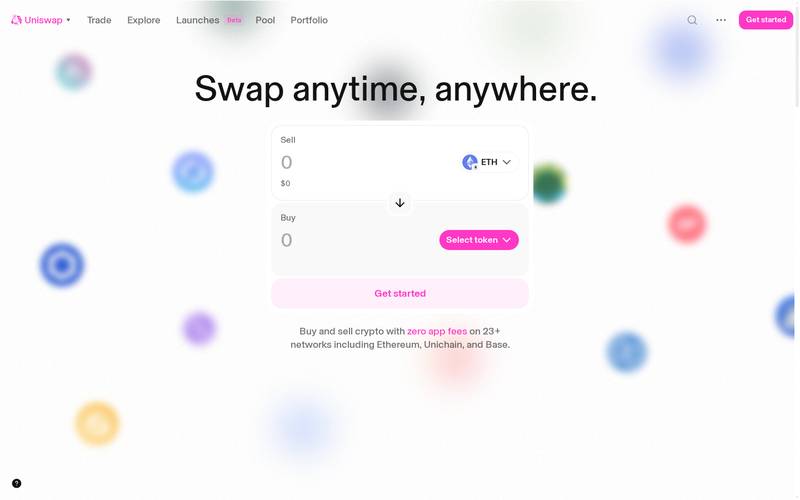
Choose your wallet from the list. MetaMask (a browser extension wallet), WalletConnect (a protocol that lets you connect any compatible mobile wallet by scanning a QR code), Coinbase Wallet, and others are supported.
If you do not have a wallet yet, MetaMask is the most common starting point for beginners on desktop. Download it from metamask.io, follow the setup steps to create a new wallet, and save your seed phrase (a set of 12 or 24 words that is the master key to your wallet, store it offline and never share it with anyone) somewhere physically safe. Once MetaMask is installed, return to Uniswap and click Connect.
Step 1 extra notes: Uniswap never asks for your seed phrase or password. If any website or pop-up does, close it immediately, it is a scam. The connection process only asks you to approve the wallet linking in your wallet app, no passwords are typed into the Uniswap site.
Step 2: Select Your Network
After connecting, check which blockchain network you are on. The network selector appears near the top of the interface, often showing the current network name or its logo.
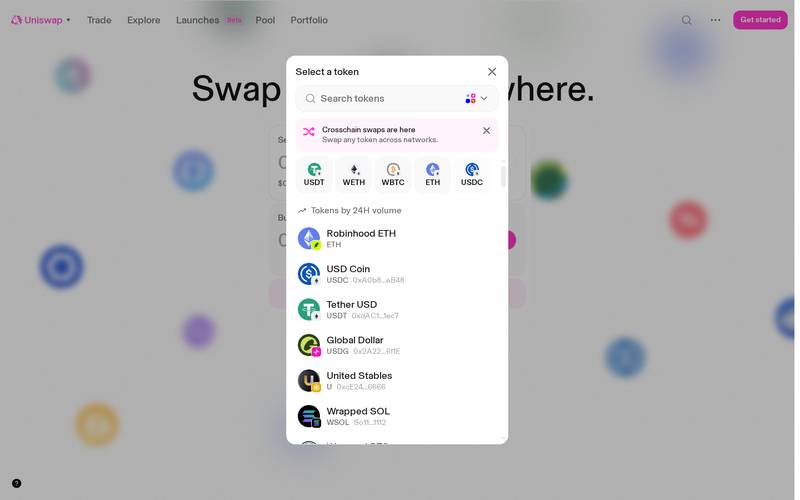
Click the network name to open a dropdown list. You will see options such as Ethereum, Arbitrum, Optimism, Polygon, and Base. Each network has its own pool of tokens and its own gas fees.
For beginners, Arbitrum is a popular choice because gas fees are much lower than on Ethereum mainnet while still being fast and secure. The Uniswap app currently defaults to showing the Arbitrum pools view.
To switch networks, select the one you want from the dropdown. Your wallet will prompt you to approve the network switch. Click Approve or Switch in your wallet pop-up. The interface refreshes and now shows tokens and pools available on that network.
Important: Make sure you actually hold tokens on the network you select. If you have ETH on Ethereum mainnet but switch the app to Arbitrum, your Arbitrum balance will show zero. You would need to bridge (transfer tokens from one blockchain to another using a bridging service) funds first.
Step 3: Choose Your Tokens and Swap
Now for the main event. The swap widget is the large card in the centre of the screen with two token fields: one at the top labelled "You pay" and one at the bottom labelled "You receive."
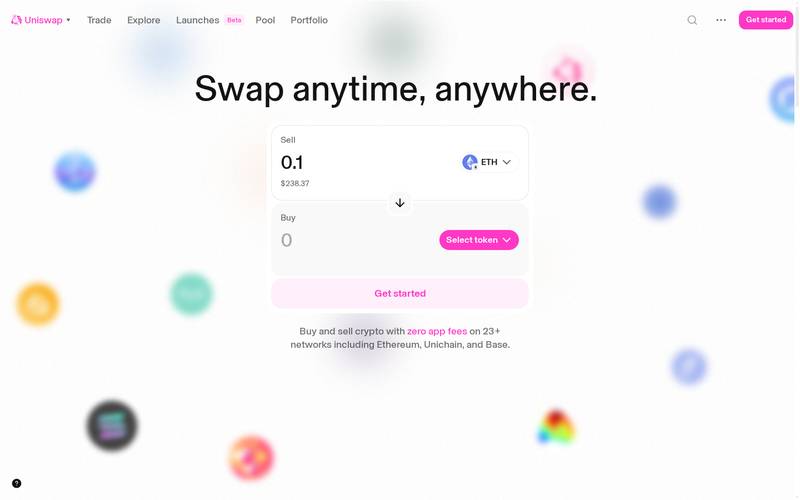
Click the token selector button in the top field (it might say "Select token" or show a default token like ETH). A search box opens. Type the name or ticker of the token you want to spend, for example "ETH," and click it.
Click the token selector in the bottom field and search for the token you want to receive, for example "USDC" (USD Coin, a stablecoin that tracks the price of one US dollar).
Type the amount you want to spend in the top field. Uniswap automatically calculates how much of the output token you will receive based on the current pool price.
Review the details shown below the swap widget before clicking the main swap button.
Key fields to check before confirming:
Field
What It Means
Rate
How many output tokens you get per input token right now
Minimum Received
The worst case you will accept. If the rate drops below this during the transaction it cancels automatically
Price Impact
How much your trade moves the market price. Under 1% is fine. Over 5% be careful
- Click "Swap" and then confirm the transaction in your wallet pop-up. The transaction is sent to the blockchain. Within seconds (or a couple of minutes on busy networks) it confirms and the output tokens arrive in your wallet.
Step 4: Set a Limit Order (Optional)
If you do not want to swap at the current market price but would rather wait for a better rate, you can use the limit order feature.
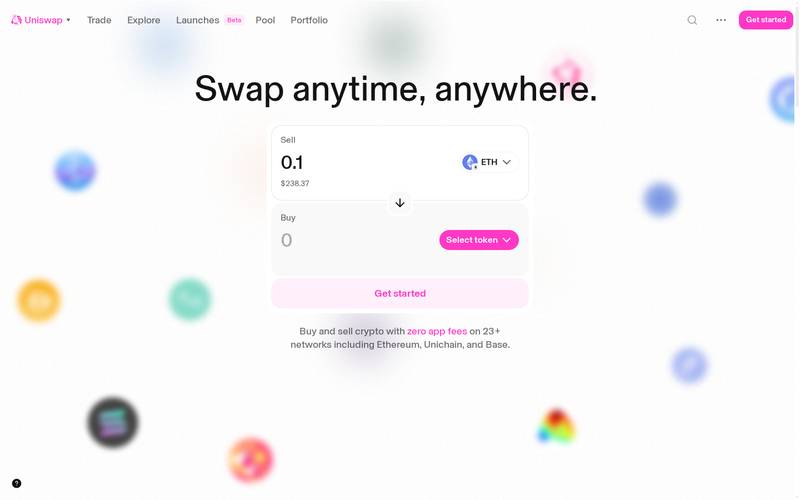
Click the "Limit" tab at the top of the swap widget. The layout changes slightly to show a price field.
- Select your input and output tokens as described in Step 3.
- In the price field, enter the rate at which you want the swap to execute. For example, if ETH is currently $2,500 and you want to buy only if it reaches $2,200, type 2200 in the price field.
- Set an expiry for your order (how long it should wait before it is automatically cancelled if the price never reaches your target).
- Click "Place Limit Order" and confirm in your wallet.
Your order sits on the Uniswap system. When the market price hits your target, the swap executes automatically. If it never hits your target before the expiry, the order cancels and your tokens remain in your wallet untouched.
Limit orders are useful for disciplined buying or selling without needing to watch the market constantly.
How to Use a Referral Link
What Is a Referral Link?
A referral link is a specially formatted URL (web address) that contains a code identifying whoever shared it. When you click that link and make a trade, the platform can attribute that activity to the person who shared the link and potentially reward them.
Think of it like a tip jar: When a friend recommends a restaurant and the restaurant has a loyalty scheme, they might hand you a card with their name on it. You give the card to the cashier, the restaurant knows your friend sent you, and your friend earns a small reward. A referral link works the same way but automatically, tracked by code rather than a physical card.
Uniswap Labs does not operate a formal public referral or affiliate program with a dedicated dashboard at the time of writing. The research material did not confirm an active referral scheme paying commissions to link sharers. However, Uniswap's open-source protocol does allow third-party developers and integrators to embed a fee recipient address into swap transactions, meaning some platforms built on top of Uniswap do offer referral mechanics. Always verify the current referral terms directly at https://app.uniswap.org or in the official Uniswap documentation before assuming a link will earn you a reward.
How to Use Someone Else's Referral Link
When someone shares a referral link with you, here is what happens step by step:
Step 1: Open the link
Click the link your friend or influencer shared. It will open Uniswap with a special code in the URL that tells the platform who referred you.
On desktop: 
On mobile: 
Step 2: Connect your wallet
Connect exactly as described in the tutorial above.
 
Step 3: Review the trade
The swap interface works identically to the standard flow. Select your tokens, enter your amount, and review the rate and fees. The referral code embedded in the URL operates in the background. You do not need to take any extra action for the referral to be counted.
Step 4: The Optional Tip
Some integrators built on Uniswap show an optional tip field during the swap confirmation. This lets you voluntarily send a small additional amount to the person or project that referred you, on top of the standard pool fee. This is entirely optional and defaults to zero if shown. You are never forced to pay extra simply because you arrived via a referral link.
Step 5: Confirm in Your Wallet
After reviewing everything, click the confirm button. Your wallet shows a final confirmation with the exact amounts and the network gas fee (typically $0.50 to $5 depending on the network). Approve and the transaction executes in seconds.
How to Create Your Own Referral Link
Because Uniswap does not operate a standard affiliate dashboard, creating a referral link works differently here than on a centralised exchange with a built-in referral program.
If you are a developer or project builder: Uniswap's smart contracts accept an optional fee recipient parameter. When building a front-end or integration on top of Uniswap's protocol, you can specify your own wallet address as the fee recipient. A portion of the swap fee can then flow to your address. This requires technical knowledge of the Uniswap v3 or v4 smart contract interfaces.
If you are a content creator or non-technical user: Check whether any Uniswap aggregator or front-end you use (such as a wallet app that routes trades through Uniswap) offers its own referral scheme. Those platforms may have a referral dashboard where you generate a link that, when used, credits your account. The mechanics are handled by that platform on top of Uniswap's base protocol.
Share a direct URL with parameters: Some community members share URLs with specific token pairs pre-selected, for example https://app.uniswap.org/#/swap?inputCurrency=ETH&outputCurrency=USDC. This is not a fee-earning referral link on its own, but it gives your audience a convenient direct link to the exact trade you are recommending.
Always disclose clearly to your audience when you earn any fee or commission from a referral arrangement. This is good practice and is required by advertising regulations in many countries.
For Uniswap Influencers and Affiliates
Uniswap is one of the most widely discussed DeFi protocols in the world, which makes it a natural topic for crypto educators, YouTubers, newsletter writers, and social media creators.
What opportunities exist for creators:
- Educational content about how Uniswap works drives consistent search traffic because the topic is perennially relevant for new crypto users.
- Some third-party crypto platforms (portfolio trackers, wallet apps, yield aggregators) that integrate Uniswap run their own affiliate programs. You earn a commission for referring users to those platforms, with Uniswap swaps often being the featured activity.
- The Uniswap Foundation periodically runs grants and community programs. Creators who contribute meaningfully to education and onboarding have applied for and received grants. Check https://uniswapfoundation.org for current grant rounds.
- Building a custom Uniswap front-end with your own fee recipient address (as described above) is a path some technically capable creators take to monetise directly.
What does not exist (as of this review): A one-click affiliate dashboard at app.uniswap.org where you sign up, get a link, and track earnings in real time, similar to what centralised exchanges like Binance or Coinbase offer. Uniswap's decentralised structure means referral monetisation requires either technical integration or working through a third-party platform.
N/A (check docs) for specific commission rates or program terms, as no official affiliate program page was available in the research data.
Security: What You Need to Know
Uniswap has one of the strongest track records in DeFi, but no system is risk-free. Here is an honest breakdown.
Smart contract risk: Uniswap's core smart contracts have been audited by multiple independent security firms and have processed hundreds of billions of dollars in volume since 2018. The v2 and v3 contracts in particular are considered battle-tested. However, smart contract bugs are always a theoretical risk. Newer versions and new pool types carry slightly higher risk simply because they have had less time in the wild.
Token risk: Uniswap is permissionless, meaning anyone can create a pool for any token without approval. This is powerful but dangerous. Scam tokens, rug pulls (where a token creator drains the pool and disappears), and honeypots (tokens you can buy but cannot sell) are common. Never swap into a token you have not independently verified through reputable sources.
Interface risk: The official app at https://app.uniswap.org is maintained by Uniswap Labs. Fake Uniswap websites exist that are designed to steal your wallet. Always double-check the URL before connecting.
No hack of the core Uniswap protocol contracts has resulted in user fund losses as of the research available. Some peripheral tools and third-party integrations have suffered exploits, but the central swap and liquidity contracts have remained secure. Specific incident details and dates: N/A (check docs) for a comprehensive list.
Best practices:
- Bookmark https://app.uniswap.org and only ever open it from that bookmark
- Never type your seed phrase into any website
- Revoke (cancel) token approvals you no longer need using a tool like revoke.cash, because granting a token approval gives a contract permission to move that token from your wallet indefinitely
- Start with a small test swap before moving larger amounts
- Use a hardware wallet (a physical device that keeps your private keys offline) for significant holdings
- Research any token thoroughly before swapping into it, cross-reference the contract address on blockchain explorers and reputable token listing sites
Uniswap vs Competitors
Feature
Uniswap
SushiSwap
Curve Finance
Centralized Exchange (e.g. Coinbase)
Custody of funds
You hold your own
You hold your own
You hold your own
Exchange holds your funds
Sign-up required
No
No
No
Yes, with ID verification
Token variety
Very wide, thousands of tokens
Wide
Focused on stablecoins and similar assets
Limited to listed tokens only
Typical swap fee
0.05% to 1% (pool-dependent)
0.25% to 1%
0.04% to 0.40%
0.5% to 1.5%
Limit orders
Yes
Varies by version
No
Yes
Liquidity provision
Yes, concentrated liquidity (v3)
Yes
Yes, stable pools
No
Governance token
UNI
SUSHI
CRV
N/A
Multi-network
Yes
Yes
Yes
Varies
Beginner friendliness
Moderate
Moderate
Lower (more complex)
High (familiar interface)
Curve Finance is the specialist for swapping between stablecoins and similarly-priced assets at ultra-low fees. If you only ever swap USDC for USDT or ETH for stETH, Curve may offer better rates. For general purpose token swapping across a vast range of assets, Uniswap remains the default choice for most DeFi users.
SushiSwap was a direct Uniswap fork and competitor that has diversified into additional products. It has a smaller liquidity base on most networks but offers some features Uniswap does not, such as cross-chain swaps on certain integrations.
Centralised exchanges are simpler for absolute beginners because they look like familiar banking apps. The trade-off is that they hold your funds, require identity verification, and list fewer tokens.
Verdict
Who Uniswap is for:
- Crypto users who want to swap tokens not listed on major centralised exchanges
- DeFi participants who want to earn fees by providing liquidity
- Anyone who values self-custody (keeping control of their own funds) above all else
- Developers and builders creating DeFi products who need a reliable, battle-tested protocol to integrate
- Users on Layer 2 networks like Arbitrum who want fast, cheap swaps
Who should look elsewhere:
- Complete beginners who have never set up a crypto wallet. Start with a simple centralised exchange to buy your first crypto, learn the basics, then graduate to Uniswap when you feel comfortable.
- Anyone who needs customer support to recover lost funds. There is no customer service to call if you send tokens to the wrong address. The blockchain is final.
- Users wanting to trade traditional assets like stocks or forex. Uniswap is crypto-only.
- Those looking for a formal, paid affiliate program with a dashboard and guaranteed commissions. That product does not exist at Uniswap natively as of this review.
Rating: 4.4 / 5
Uniswap earns its reputation as DeFi's leading exchange. The interface is cleaner than most DEX competitors, the multi-network support is broad, the smart contracts are as battle-tested as anything in the industry, and the fee tiers are competitive. The main friction points are the same ones every DEX faces: you need a wallet, you need to understand gas fees, and you carry full responsibility for your own security. For users ready to take that step, Uniswap is the natural first destination in decentralised trading.
Quick Links
Last verified: October 20, 2026. Screenshots taken live from https://app.uniswap.org.
Read original article on defiliban.io