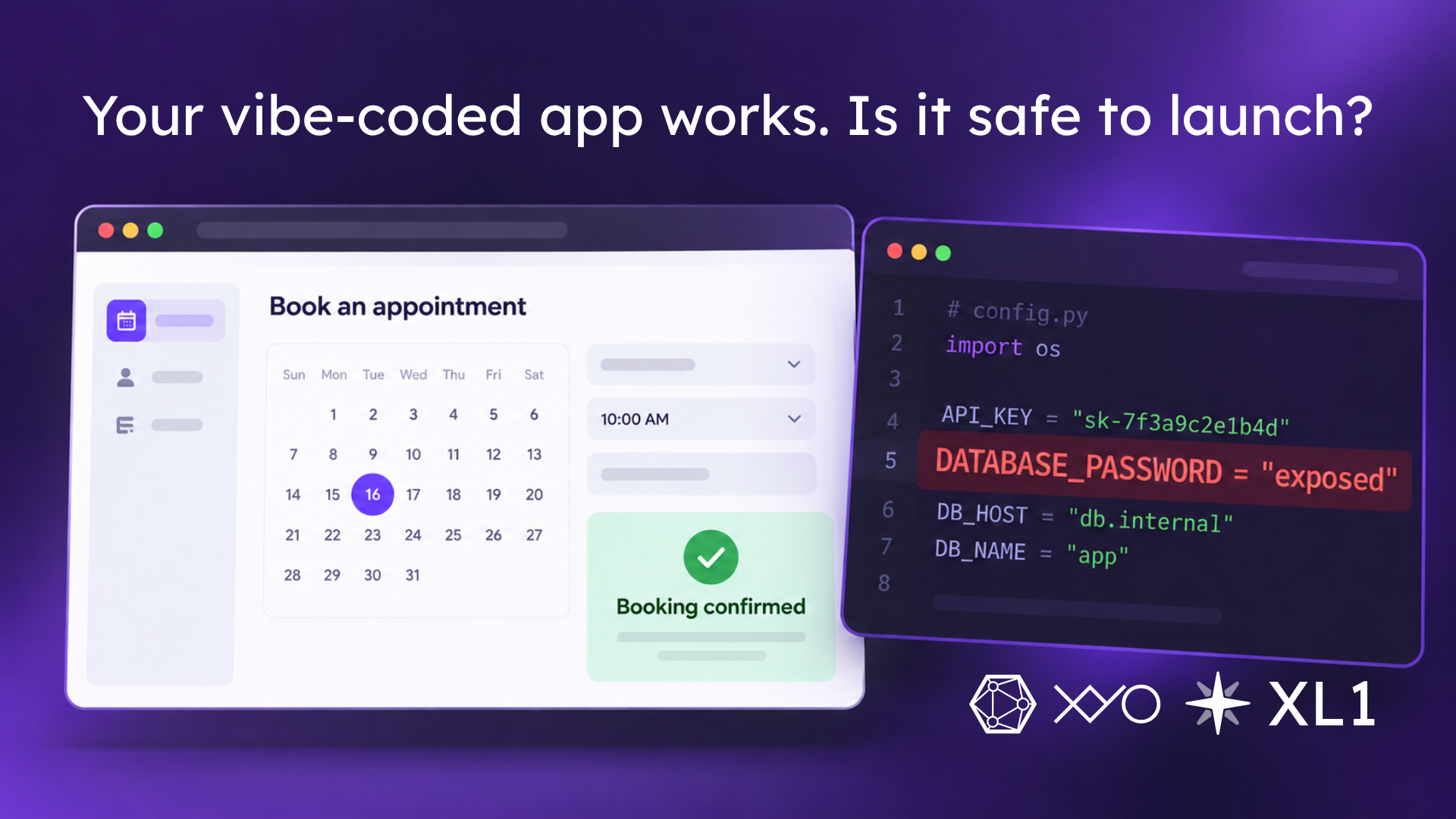
Imagine building a booking app over a weekend. You describe what you want, an AI coding tool assembles it, and by Sunday evening you can create an account and reserve an appointment. The conf
Imagine building a booking app over a weekend. You describe what you want, an AI coding tool assembles it, and by Sunday evening you can create an account and reserve an appointment. The confirmation email arrives. Everything looks ready.
Then someone reviews the code and finds a database password in a file sent to every visitor’s browser.
This is a hypothetical example, but the distinction is practical. A successful booking tells you that the intended path works. Checking what an unauthorized visitor can access requires a different test.
On October 7, GitHub announced a purpose-built model for detecting exposed credentials. It reads the code surrounding a potential secret, helping identify passwords that don’t have a recognizable token format. Existing AI-detected password alerts received the new model; additional checks for push protection and Copilot security reviews are at different preview stages. GitHub’s announcement
That surrounding context matters. A string that looks harmless on its own might be the password in a database connection. Checking the place where it’s used can reveal the risk.
For someone building with AI, the useful lesson is to make credential checks part of the launch process. A generated app deserves the same scrutiny as code written by hand.
An API key is a credential an application uses to access a service. Seeing one in browser code doesn’t automatically mean something has gone wrong. Some keys are designed to be public and rely on separate controls to limit access.
Supabase provides a concrete example. Its publishable keys can appear in a web app, while secret keys belong in controlled backend components. Secret keys provide elevated access and bypass its row-level security, the rules that determine which database records a user can access. Putting the wrong kind of key in a public component can expose the project’s data. Supabase’s key documentation
The builder needs to know what each credential permits and where it ends up in the deployed app. A file’s name or an AI assistant’s reassurance doesn’t establish that it’s private.
Return to the booking app. Create two ordinary test accounts with made-up information. Each account should be able to view its own bookings. Check whether either account can retrieve or change the other’s records, including through requests sent directly to the backend.
A button being hidden on the screen doesn’t establish that the underlying operation is protected. In systems such as Supabase, database policies can enforce access at the record level. Those policies need to match the application’s intended permissions. Row-level security documentation
This gives a security review a specific question to investigate: can one customer read or alter another customer’s appointment? Someone qualified to review the app can test that boundary without using real customer data.
If a secret has already been committed to a code repository, removing it from the latest version leaves a separate problem: it may still exist in earlier versions. GitHub’s secret scanning checks repository history, and its guidance calls for rotating an exposed credential immediately. GitHub’s secret scanning documentation
For the builder, that means revoking or replacing the leaked credential through its provider, updating the app, and checking where the old credential was used. Deleting the visible password is only part of the repair.
AI can help more people turn an idea into working software. Before that software starts handling customer information, the launch review should produce evidence that access restrictions hold. For our booking app, that means a checked deployment with no exposed private credentials and tests showing that customers can access only the records they’re entitled to use.
Getting the first appointment booked is a satisfying milestone. Protecting the next customer’s information belongs on the launch checklist too.