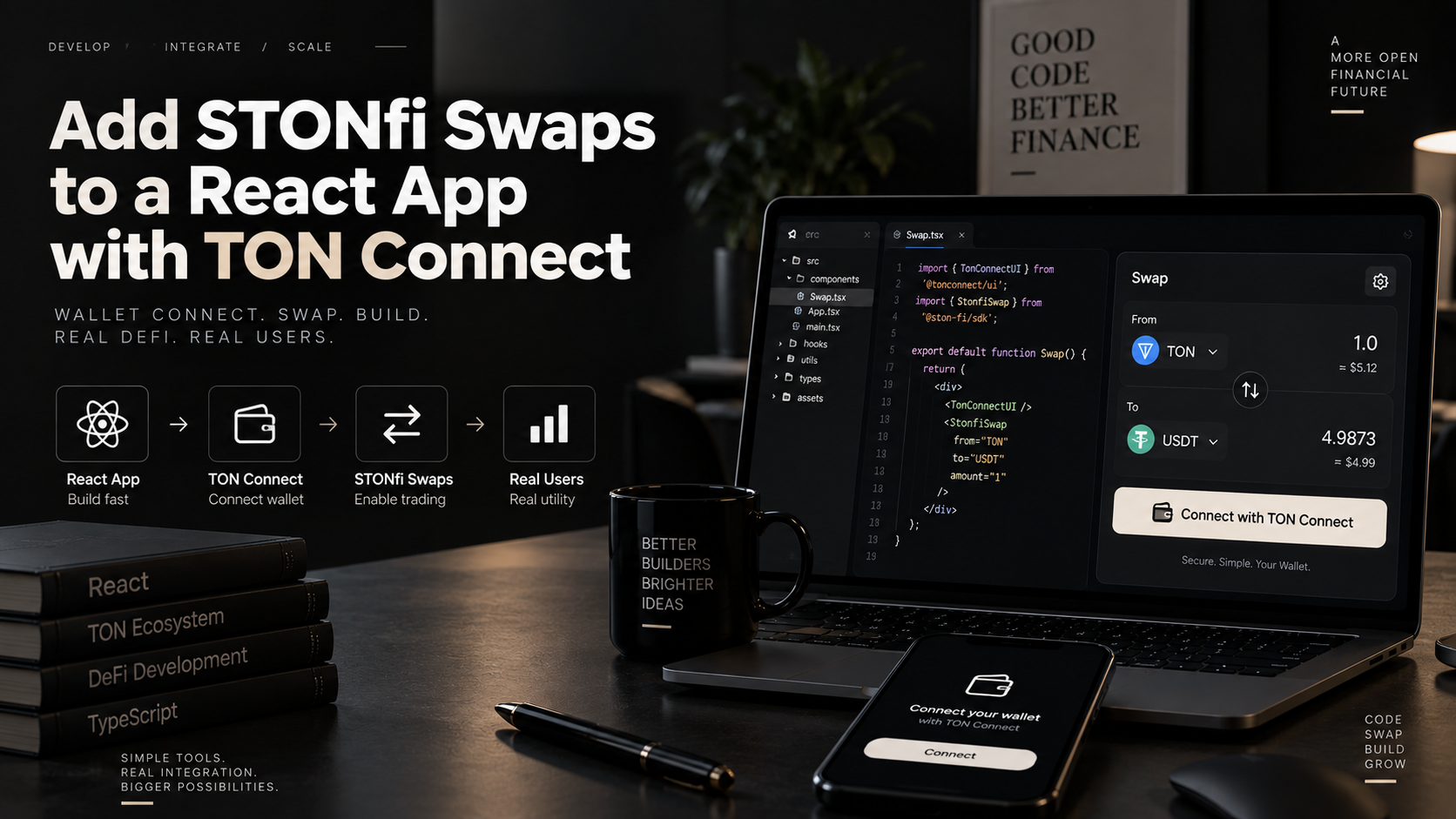
⚛️ Add STON.fi Swaps to a React App with TON Connect There's a specific moment in building a swap feature where the abstractions stop being theoretical: the user clicks a button, their wallet
⚛️ Add STON.fi Swaps to a React App with TON Connect
There's a specific moment in building a swap feature where the abstractions stop being theoretical: the user clicks a button, their wallet opens, and real tokens move. Everything before that is plumbing you can iterate on freely. Everything after it is irreversible.
This walkthrough builds that entire path in React — wallet connection through TON Connect, live quotes through STON.fi's Omniston aggregation layer, transaction construction, signing, and status tracking — and pays particular attention to the places where the two libraries meet, because that's where most integrations actually break.
The division of labor is worth stating up front, since confusing it causes most of the early confusion: Omniston knows prices and builds transactions. TON Connect signs them. Omniston never touches a private key; TON Connect never knows what a swap is. They're deliberately decoupled, and the code you write is mostly the seam between them.
"The SDK builds the message. The wallet decides whether it happens. Keep those two responsibilities separate in your head and the architecture makes sense."
Node.js 18+ and a React project (Vite or Next.js both work; examples here are framework-agnostic React)
A TON wallet for testing — Tonkeeper or MyTonWallet, both TON Connect–compatible
A publicly reachable URL to host your TON Connect manifest (more on this below — it's the first thing that trips people up)
Basic React: hooks, component state, async/await
Install the two packages:
npm install @ston-fi/omniston-sdk-react
npm install @tonconnect/ui-react
@ston-fi/omniston-sdk-react is built on RxJS observables and TanStack Query under the hood, which means loading states, retries, and subscription cleanup come handled rather than hand-rolled. @tonconnect/ui-react gives you a drop-in connect button and the signing interface.
Nothing else works until a wallet is connected, so start here.
TON Connect requires a manifest — a small JSON file describing your app to the wallet that's about to trust it. Create public/tonconnect-manifest.json:
{
"url": "https://your-app-domain.com",
"name": "My Swap App",
"iconUrl": "https://your-app-domain.com/icon-180x180.png"
}
Three practical notes that save real debugging time:
🌐 The manifest must be reachable over public HTTPS. Wallet apps fetch it from their own servers or devices — they cannot reach your localhost. For local development, tunnel your dev server (ngrok, Cloudflare Tunnel) and point manifestUrl at the tunnel.
🖼️ The icon URL must actually resolve. A 404 here produces a connection failure that gives you no useful error message at all.
🔗 The url field should match the domain serving your app. Mismatches get flagged by some wallets.
Now wire up the provider. Create src/providers/AppProviders.tsx:
import { TonConnectUIProvider } from "@tonconnect/ui-react";
const manifestUrl = "https://your-app-domain.com/tonconnect-manifest.json";
export function AppProviders({ children }: React.PropsWithChildren) {
return (
<TonConnectUIProvider manifestUrl={manifestUrl}>
{children}
</TonConnectUIProvider>
);
}
With that in place, a connect button is one line anywhere in your tree:
import { TonConnectButton } from "@tonconnect/ui-react";
export function Header() {
return (
<header className="flex justify-end p-4">
<TonConnectButton />
</header>
);
}
TonConnectButton handles the wallet-selection modal, deep-linking into mobile wallet apps, session persistence across reloads, and the connected/disconnected states. You don't build any of that.
Next, give your component tree access to Omniston. Extend AppProviders.tsx:
import { TonConnectUIProvider } from "@tonconnect/ui-react";
import { Omniston, OmnistonProvider } from "@ston-fi/omniston-sdk-react";
const manifestUrl = "https://your-app-domain.com/tonconnect-manifest.json";
const omniston = new Omniston({
apiUrl: import.meta.env.VITE_OMNISTON_URL ?? "wss://omni-ws-sandbox.ston.fi",
});
export function AppProviders({ children }: React.PropsWithChildren) {
return (
<TonConnectUIProvider manifestUrl={manifestUrl}>
<OmnistonProvider omniston={omniston}>{children}</OmnistonProvider>
</TonConnectUIProvider>
);
}
Two deliberate decisions here.
The Omniston instance is created outside the component. If you construct it inside the component body, every re-render creates a new client and tears down the previous WebSocket connection. Your quote stream will reconnect constantly and you'll spend an afternoon wondering why quotes keep vanishing.
The endpoint defaults to sandbox, not production. Omniston exposes wss://omni-ws-sandbox.ston.fi, which mirrors the production API surface exactly, letting you develop against real shapes without touching real liquidity. Defaulting to sandbox means a misconfigured build fails toward "nothing real happens" rather than "real swaps executed against production." Switch deliberately, via environment variable:
VITE_OMNISTON_URL=wss://omni-ws.ston.fi
If your app already uses TanStack Query, pass your existing client so Omniston reuses it rather than spinning up a second:
<QueryClientProvider client={queryClient}>
<OmnistonProvider omniston={omniston} queryClient={queryClient}>
{children}
</OmnistonProvider>
</QueryClientProvider>
Here's the concept that most distinguishes Omniston from a typical price API, and the one most worth internalizing before writing UI around it:
useRfq() is a subscription, not a fetch.
It doesn't resolve once with a price. It opens a stream that stays alive and emits updated quotes as market conditions change. Your component will re-render multiple times with new quotes for a single user input, and that's correct behavior, not a bug.
Start with settlement parameters — these tell Omniston which execution paths you'll accept. Create src/swap/settlement.ts:
import type {
SettlementParams,
SwapSettlementParams,
OrderSettlementParams,
} from "@ston-fi/omniston-sdk-react";
export const swapAndOrderSettlementParams: SettlementParams[] = [
{
params: {
$case: "swap",
value: {
maxPriceSlippagePips: 10_000, // 1%
flexibleIntegratorFee: true,
} satisfies SwapSettlementParams,
},
},
{
params: {
$case: "order",
value: {} satisfies OrderSettlementParams,
},
},
];
⚠️ maxPriceSlippagePips is measured in pips — hundredths of a basis point. 10_000 is 1%. Not 100%. Not 1 bp. This is genuinely easy to get wrong by an order of magnitude, and a too-loose value doesn't throw an error — it just silently removes the protection slippage exists for. Annotate it with the percentage every time you write it.
Including both swap and order settlement types is the sensible default: swap routes through on-chain AMM pools, order routes through resolvers using signed orders or HTLC escrow. On thin pairs, order settlement is often the only path that returns a quote at all. Restricting to swap-only means seeing noQuote in situations where a perfectly good quote existed.
Now the assets and the hook. Create src/swap/useSwapQuote.ts:
import {
useRfq,
type AssetId,
type QuoteRequest,
} from "@ston-fi/omniston-sdk-react";
import { swapAndOrderSettlementParams } from "./settlement";
export function tonJetton(address: string): AssetId {
return {
chain: {
$case: "ton",
value: { kind: { $case: "jetton", value: address } },
},
};
}
export function useSwapQuote(params: {
inputAddress: string;
outputAddress: string;
inputBaseUnits: string;
enabled: boolean;
}) {
const quoteRequest: QuoteRequest = {
inputAsset: tonJetton(params.inputAddress),
outputAsset: tonJetton(params.outputAddress),
amount: {
$case: "inputUnits",
value: params.inputBaseUnits,
},
settlementParams: swapAndOrderSettlementParams,
};
return useRfq(quoteRequest);
}
And the component consuming it, handling every event the stream can emit:
import { useSwapQuote } from "./useSwapQuote";
export function QuotePanel({
inputAddress,
outputAddress,
inputBaseUnits,
}: {
inputAddress: string;
outputAddress: string;
inputBaseUnits: string;
}) {
const { data: event, error } = useSwapQuote({
inputAddress,
outputAddress,
inputBaseUnits,
enabled: inputBaseUnits !== "0",
});
if (error) {
return <p className="text-red-500">Couldn't reach the quote service.</p>;
}
switch (event?.$case) {
case "ack":
return <p>Searching for the best route…</p>;
case "quoteUpdated":
return <QuoteCard quote={event.value} />;
case "noQuote":
return <p>No route available for this pair right now.</p>;
case "unsubscribed":
return <p>Quote stream closed — refresh to try again.</p>;
default:
return <p>Waiting for a quote…</p>;
}
}
Handling only quoteUpdated — which is what most first attempts do — leaves your UI blank in three situations where it should be telling the user something specific:
📡 ack — Omniston received the request and assigned an rfqId. Good for a loading state; essential for debugging a stream that then produces nothing.
✅ quoteUpdated — a quote arrived. Fires repeatedly. Not a completion signal.
❌ noQuote — no connected source could fill this. Normal on illiquid pairs or oversized requests. Information, not an error.
🔌 unsubscribed — the server ended the stream. Anything displayed is now stale.
Once a user has a quote in front of them and wants to proceed, you build the actual transaction. Branch on the settlement type first — a quote can come back as either kind, and calling the wrong builder fails.
import {
useTonBuildSwap,
type ChainAddress,
type QuoteOfType,
} from "@ston-fi/omniston-sdk-react";
export function useBuildSwapTx(
quote: QuoteOfType<"swap">,
traderAddress: ChainAddress,
) {
return useTonBuildSwap({
quoteId: quote.quoteId,
transferSrcAddress: traderAddress,
refundSrcAddress: traderAddress,
gasExcessAddress: traderAddress,
traderDstAddress: traderAddress,
});
}
Those four address parameters look redundant — in the common case they're all the same connected wallet — but each has a distinct role, and understanding them matters when something goes wrong:
📤 transferSrcAddress — where input tokens are pulled from
↩️ refundSrcAddress — where funds return if the swap fails partway
⛽ gasExcessAddress — where unused gas is returned
📥 traderDstAddress — where output tokens land
Keeping them as separate parameters means the same API supports more advanced flows later (swapping on behalf of a smart-contract wallet, sending output to a different address than the input came from) without a breaking change.
For branching, the SDK ships type guards — isSwapQuote, isOrderQuote, isHtlcOrderQuote, and matchQuoteByType. Use them rather than reaching into quote.settlementData?.$case manually; they narrow the TypeScript type correctly, so your editor tells you which fields actually exist on each variant:
import { isSwapQuote, isOrderQuote, type Quote } from "@ston-fi/omniston-sdk-react";
function SettlementRouter({ quote }: { quote: Quote }) {
if (isSwapQuote(quote)) return <SwapFlow quote={quote} />;
if (isOrderQuote(quote)) return <OrderFlow quote={quote} />;
return <p>Unsupported settlement type.</p>;
}
This is the seam. useTonBuildSwap() returns unsigned messages — it does not sign or broadcast anything. That's intentional: signing is wallet territory, and Omniston stays wallet-agnostic. Your job is to hand those messages to TON Connect.
import { useTonConnectUI, useTonAddress } from "@tonconnect/ui-react";
import { useBuildSwapTx } from "./useBuildSwapTx";
import type { QuoteOfType } from "@ston-fi/omniston-sdk-react";
export function SwapButton({ quote }: { quote: QuoteOfType<"swap"> }) {
const [tonConnectUI] = useTonConnectUI();
const rawAddress = useTonAddress();
const traderAddress = {
chain: { $case: "ton" as const, value: rawAddress },
};
const { data: swapTx } = useBuildSwapTx(quote, traderAddress);
async function handleSwap() {
if (!swapTx?.messages) return;
try {
const result = await tonConnectUI.sendTransaction({
validUntil: Math.floor(Date.now() / 1000) + 300, // 5 minutes
messages: swapTx.messages.map((message) => ({
address: message.address,
amount: message.amount,
payload: message.payload,
})),
});
// result.boc contains the signed message — needed for tracking
console.log("Submitted:", result.boc);
} catch (err) {
if (isUserRejection(err)) {
// Not an error — the user changed their mind
return;
}
console.error("Swap failed:", err);
}
}
return (
<button disabled={!swapTx || !rawAddress}>
{rawAddress ? "Confirm Swap" : "Connect wallet first"}
</button>
);
}
Three things in there deserve more than a passing glance.
⏱️ validUntil matters more than it looks. Set it too far in the future and a stale transaction can sit in the wallet's queue, then execute against a quote that's no longer accurate — potentially at a materially worse price than the user agreed to. Five minutes is a reasonable default: long enough that a slow mobile wallet doesn't time out, short enough that market movement doesn't invalidate the trade.
🙅 User rejection is not an error. People open the confirmation dialog and close it. That's normal behavior. If rejections land in the same error bucket as genuine on-chain failures, your monitoring will show a "problem" that's really just users changing their minds — and you'll chase phantom bugs. Handle it as a distinct, quiet path.
📦 Keep the boc. The response contains the signed message as a bag of cells. You need an identifier derived from it for the tracking step, so don't discard it.
Sending isn't the end of the user's experience. They want to know whether it actually worked. swapTrack() gives you a live status stream.
import { useEffect, useState } from "react";
import {
useOmniston,
type ChainAddress,
type Quote,
} from "@ston-fi/omniston-sdk-react";
export function useSwapTracking({
quote,
traderAddress,
outgoingTxQuery,
}: {
quote: Quote;
traderAddress: ChainAddress;
outgoingTxQuery: string;
}) {
const omniston = useOmniston();
const [status, setStatus] = useState("Submitting…");
useEffect(() => {
let unsubscribe = () => {};
void omniston
.swapTrack({
quoteId: quote.quoteId,
traderAddress,
outgoingTxQuery,
})
.then((stream) => {
const subscription = stream.subscribe({
next(event) {
switch (event?.$case) {
case "awaitingTransfer":
setStatus("Waiting for your transfer to confirm…");
break;
case "progress":
setStatus(`Swap status: ${event.value.status}`);
break;
case "unsubscribed":
setStatus("Tracking ended");
break;
}
},
});
unsubscribe = () => subscription.unsubscribe();
});
return () => unsubscribe();
}, [omniston, quote.quoteId, traderAddress, outgoingTxQuery]);
return status;
}
The cleanup function returned from useEffect is not optional here. Without it, every re-render with changed dependencies leaves an orphaned subscription running, and in a component users interact with repeatedly, those accumulate until something noticeably degrades.
outgoingTxQuery can be a transaction hash, a message hash, or the outgoing message body — whichever identifier your setup surfaces most reliably. You derive it from the boc returned by sendTransaction(). The exact decode helper depends on your TON Connect version and which TON library you're using, so check the current TON Connect docs rather than assuming the API surface hasn't shifted.
Consolidated, in rough order of how often they bite people:
🔁 Creating new Omniston() inside a component. Constant reconnection, vanishing quotes. Instantiate at module scope.
📉 Using a stale quote. useRfq() emits repeatedly. Always build the transaction from the latest quoteUpdated, not a cached one from when the user first looked.
🔢 Hardcoding token decimals. Many TON jettons use 9, but USDT uses 6. Read decimals from asset metadata — hardcoding is a silent 1000× error.
📏 Misreading pips. 10_000 = 1%.
🎯 Assuming every quote is a swap quote. Code that only calls useTonBuildSwap() breaks the moment an order-settled quote arrives. Branch with the type guards.
🚨 Logging user rejections as errors. Pollutes monitoring and manufactures phantom bugs.
🌐 A manifest on localhost. Wallets can't reach it. Tunnel for local dev.
🧹 Skipping useEffect cleanup on tracking subscriptions.
📌 Trusting a caret version range. The SDK is pre-1.0, meaning breaking changes can land in minor releases under semver. Pin it:
"dependencies": {
"@ston-fi/omniston-sdk-react": "0.8.0"
}
The flow above is complete but minimal. Before real users touch it:
🪙 Replace hardcoded token addresses with a proper picker backed by @ston-fi/api, so users can swap any supported pair rather than the two you chose for testing.
🎚️ Expose slippage as a user setting rather than a constant. Traders on volatile pairs legitimately want to widen or tighten it themselves.
🕳️ Design the noQuote state properly. A blank panel reads as "broken app." Explain that no route was found and suggest a smaller amount.
🛡️ Add an error boundary around the signing step, since wallet interactions fail in ways that shouldn't take down your whole interface.
🧪 Test against sandbox first — the endpoint exists precisely so your first end-to-end run isn't also your first real trade.
🔍 Inspect the quote object yourself. Field names carrying output amounts have shifted between SDK versions. Rather than trusting any written guide, including this one, log it once and read what you actually receive:
case "quoteUpdated":
console.dir(event.value, { depth: null });
break;
That takes thirty seconds and is strictly more reliable than secondhand documentation against a pre-1.0 package.
What you've built is the complete loop every TON swap feature needs: wallet connection, a live quote subscription, settlement-aware transaction building, wallet signing, and status tracking to completion. The pieces Omniston handles for you — multi-source routing across STON.fi's pools, other TON DEXs, and RFQ resolvers; quote refreshing; settlement-type branching — are precisely the parts that are tedious and error-prone to write against raw contracts.
The architectural insight worth carrying forward is the separation this whole integration is built around. Omniston produces unsigned messages and has no idea who you are. TON Connect signs messages and has no idea what a swap is. Your code is the seam between them, and keeping that boundary clean is what makes the rest — adding a token picker, supporting order settlement, handling cross-chain flows — incremental work rather than a rewrite.
STON.fi Developer Docs — Omniston React SDK (v1beta8)
STON.fi Developer Docs — Omniston Node.js SDK
STON.fi — Omniston Quickstart Guide (React)
Omniston SDK — React v0.7 → v0.8 migration guide
Omniston SDK — GitHub source and example React app
@ston-fi/omniston-sdk-react on npm
TON Connect UI React documentation