Setting up MetaMask takes less than ten minutes, and in those ten minutes you make the two decisions that determine what happens to your balance: where you get the software from, and what hap
Setting up MetaMask takes less than ten minutes, and in those ten minutes you make the two decisions that determine what happens to your balance: where you get the software from, and what happens to the twelve words the setup wizard shows you once. Almost everything else you can change later. Those two points you cannot.
This text walks you through the setup and explains the terms you meet in the wizard without being told what they mean there: recovery phrase, password, network, chain ID, approval. By the end you will know which steps are one-off, which ones you repeat regularly, and at which points the tax office and the regulator come into play in Germany.
MetaMask is a self-custody wallet, also called a non-custodial wallet. That means the software generates a key pair on your device and encrypts it there. Nobody at the maker holds a copy, nobody can reset access, and there is no hotline that unlocks your account. The difference from an exchange is exactly this: at an exchange you have an account, here you have a key.
Everything else follows from that. A wallet in this sense is not a container holding coins. The coins sit on the blockchain, and the wallet is the tool with which you prove they are yours. If you delete the software, the coins stay where they are. If you lose the key, the coins also stay where they are, except that nobody can reach them any more, you included.
Extension or app
MetaMask comes as a browser extension for the desktop and as an app for Android and iOS. Both fall back on the same recovery phrase when you import it, and then show the same addresses. One version is enough to start with. Anyone using both has not thereby created a backup copy, but two points of access to the same key.
The most dangerous minute of the whole setup comes before your first click in the wizard. Fake wallet extensions turn up regularly in the browsers' own official extension directories, often under names like "Ethereum Wallet" and with an icon resembling the real one. Fakes like these are not waiting to steal something from you later. The recovery phrase is skimmed at exactly the moment the wizard generates it, or the moment you import an existing one, and from there it travels outward unnoticed.
One habit guards against this: you install the extension only through the download button on the maker's site metamask.io, never through a search result, never through a link in a message, a video or a forum post. On a phone you download the app from the official store and check beforehand who publishes it and how many installations it carries. An extension with a few hundred users is a warning sign for a wallet of this size.
That things can go wrong at the maker itself was shown in early October by a confirmed security incident in parts of the MetaMask infrastructure, in which affected Ethereum validators were pulled from the network. What exactly happened there and who it concerned is in our report on the MetaMask security incident. For the setup that changes nothing about the rule, it only sharpens it: the fewer places that know your key, the fewer places that can lose it.
Twelve words from a random generator: the Secret Recovery Phrase
On first launch MetaMask generates a sequence of twelve words and calls it the Secret Recovery Phrase, formerly also seed phrase. These twelve words are not a memory aid and not a password. The private key is calculated from them. Whoever has them has the wallet, on any device, in any country, without you noticing a thing. The maker puts this just as plainly in its guide to creating a new wallet: nobody at MetaMask can restore the phrase once it is gone.
The phrase therefore belongs offline. A sheet of paper is better than a file, a metal plate is better than paper because it survives water and fire. What you never do: photograph it, type it into a notes app, put it in a password manager that lives in the cloud, or read it out to someone posing as support on the phone. There is no case in which a genuine employee needs those words.
Two slips of paper in two places
One copy in a single place is a total loss waiting for a burst pipe. Two copies in two physically separate places, neither of them the home of an acquaintance with access, are the usual compromise. Anyone holding larger amounts does not split the phrase into halves, because that reduces security more than it insures against loss.
Every approval you grant an application is a key to your balance that somebody else holds from that moment on.
Token approvals: what an unlimited spending cap means for your balance
The point at which most losses arise only comes after the setup, and it appears on no welcome screen. As soon as you use a decentralised application, it asks for an approval, in English also token approval or spending cap. With it you permit a contract to move a certain amount of a certain token out of your address. That is not a flaw in the system but the precondition for swapping, depositing or staking to work at all.
The decisive part is the amount. Many applications propose an unlimited approval, because it is convenient and saves fees on every further use. The permission then stays in place until you revoke it, months later too, even when you have long forgotten the application. If the contract is taken over later, or was no good from the start, that old permission is enough to empty your balance without anything having to be confirmed again.
In the setup window you can overwrite the proposed amount and set it to what you are actually moving right now. You can see approvals you have granted later in MetaMask's portfolio view and withdraw them there; the maker describes the route in its guide to revoking approvals. This is supported for the Ethereum mainnet, Polygon, the BNB Chain, Optimism and Base, among others. A revocation is itself a transaction and costs a network fee. What a signature looks like when it is in truth a power of attorney is something we took apart using the example of wallet drainers and their signatures.
The password unlocks this device only
Straight after the phrase the wizard asks for a password. Beginners regularly confuse two things here. The password decrypts the key store on exactly this browser or this phone. So it protects against someone who sits at your computer briefly sending money. On a new device it is no use to you at all, because there MetaMask does not ask for the password but for the twelve words.
In practice that means the password may be long and sit comfortably in a password manager; the recovery phrase never may. If you forget the password, you set the wallet up again with the phrase and assign a new one. If you forget the phrase, the password does not help you.
Adding networks: Ethereum, Solana and the chain ID as forgery protection
After the setup your account initially stands on the mainnet of Ethereum. Alongside that, MetaMask now brings multichain accounts: one account covers not only the EVM networks but also chains such as Solana, whose addresses are derived from the same recovery phrase under the BIP-44 derivation standard. You do not need an additional phrase for that.
Further networks you enter by hand. MetaMask asks for five details: name, RPC address, chain ID, symbol of the network currency and the address of a block explorer. The chain ID is the actual protection: an identifying number assigned uniquely to each chain, and two networks with the same one cannot exist. A fraudulent site offering you an "official" network to set up fails at this number as soon as you compare it with the figure in the chain's documentation.
Where the RPC address comes from
The RPC address is the point of access through which your wallet speaks to the chain. Whoever provides it sees which addresses you query and which transactions you send, and could in case of doubt show you false balances. So take it from the official documentation of the network or from a provider where you hold an account yourself, and not from a collected directory that some unfamiliar site puts in front of you.
The fee on a swap inside the app is 0.875 percent
MetaMask itself costs nothing. The wallet earns its money on the built-in swap function: every swap inside the app carries a service fee of 0.875 percent, regardless of the network. It is disclosed in the quote that appears before you confirm.
On top of that come two further items that do not go to MetaMask. The network fee you pay to the chain you are travelling on; it fluctuates with load and has nothing to do with the swap amount. And the trading venues through which the swap actually runs take a fee of their own and, depending on the depth of the market, deliver a worse rate than the display initially suggests. With small amounts on an expensive network, the network fee can make up the largest part of the costs.
For recurring purchases the route via an exchange with a euro account is therefore usually cheaper, and the wallet becomes the destination rather than the place of purchase. How the various software wallets fare for that is set out in our software wallet comparison.
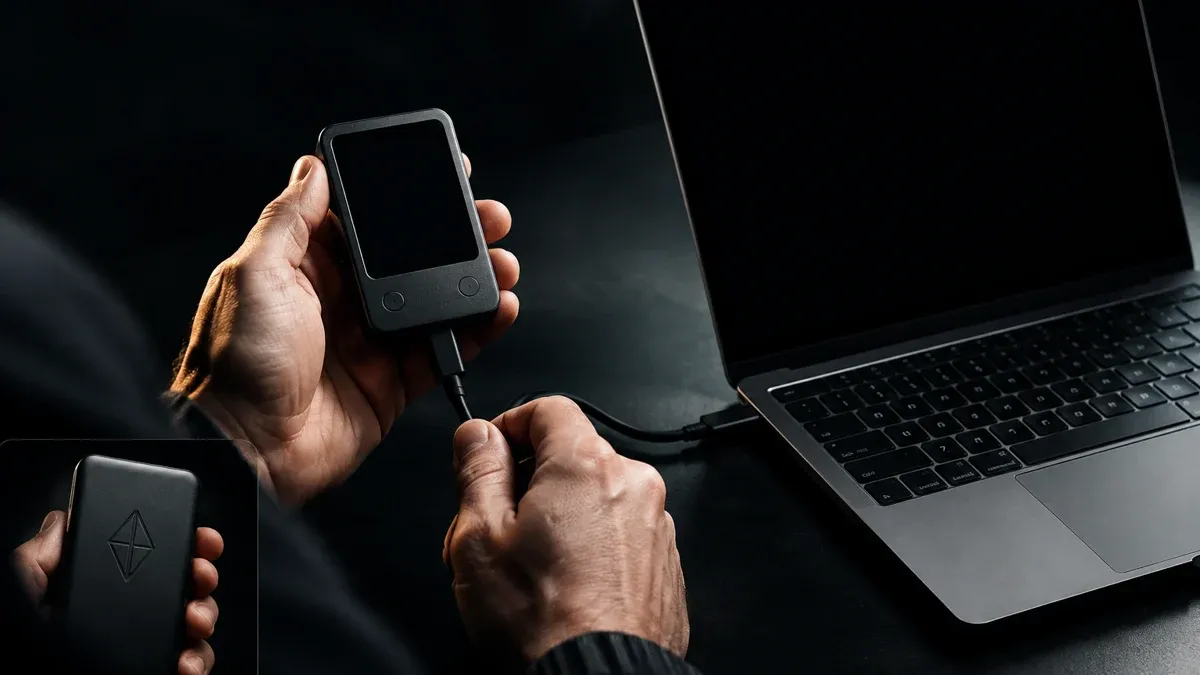
With a hardware device attached, the private key stays outside the browser while the MetaMask interface remains the same.
Hardware wallet instead of browser: the private key never leaves the device
From an amount whose loss would hurt, the next step is worth it. MetaMask can be connected to a hardware device, and then the division of roles changes: the wallet remains the interface through which you operate applications, but the private key sits on the device and never leaves it. Every transaction you have to confirm there with a button. Malware on the computer can then prepare a transaction but not sign it.
In the browser extension MetaMask supports Ledger, Trezor and Lattice among others, and in the mobile app Keystone, Ledger and NGRAVE ZERO among others. Two limitations are worth knowing before you buy a device: from Ledger only EVM accounts can be integrated, and the Trezor connection works exclusively with the BIP-44 derivation path. Both are in the maker's help pages, and both only become apparent once the device is already in the house.
The device does not replace the phrase
A hardware device brings a recovery phrase of its own, and that one then applies to the accounts on this device. Your old MetaMask phrase is untouched by it and continues to secure the accounts the browser created. Anyone moving over shifts the balances explicitly to the new addresses and treats both phrases as equally valuable afterwards.
Does a self-custody wallet need a BaFin licence?
No, and the reason is in the European crypto regulation MiCA itself. What gets regulated are service providers that hold or administer crypto assets for others. Software where only you hold the key and the maker merely supplies the program keeps nothing for anyone and therefore does not fall under the licensing requirement. That applies to MetaMask as much as to other pure self-custody wallets and to hardware devices without custody services of their own.
The line runs where a wallet offers additional services. Anyone holding crypto assets for customers, running an exchange against euros or executing orders is providing a crypto-asset service and needs a licence from BaFin in Germany for it, or a valid notification from another member state.
For you as a user that has an uncomfortable flip side. Because no supervisor stands behind it, there is also no deposit protection, no complaints body and no claim to compensation if something goes wrong. The freedom of self-custody and the complete absence of a safety net are the same coin.
Tax in Germany: moving to your own wallet is not a sale
Sending coins from an exchange to your own MetaMask address is not a disposal transaction. You swap nothing and realise no gain, you merely change the place of storage. The acquisition data carries on, and with it the period that matters.
Section 23 of the German Income Tax Act applies. If you sell within a year of buying, the gain is taxable; after a year has passed it is tax free. For short-term gains there is a threshold of €1,000 per calendar year, and the word threshold is to be taken literally: stay below it and you pay nothing; reach it and you pay tax on the entire gain, not just the part above the line.
Two things your own wallet makes harder than an exchange account. First, you have to carry the acquisition data yourself, because no provider sends you a statement at the end of the year. Second, network fees arise with every transfer, and their treatment is not self-explanatory. A swap inside MetaMask, by contrast, very much is a tax-relevant event, because in it you give up one crypto asset and receive another.
Phishing tricks around the recovery phrase
Attacks on wallet users almost never target the technology but the moment in which somebody is under pressure. Five patterns come up again and again:
- A supposed support message in a chat or forum, shortly after you asked a question there, requesting "verification" of your wallet.
- A form that looks like the genuine setup wizard and asks for the twelve words because your wallet supposedly has to be "synchronised".
- A phone call in which somebody poses as an employee and speaks of a "security incident" requiring immediate action.
- An airdrop page that demands a signature rather than an approval, with text nobody reads.
- A second browser extension that presents itself as an add-on or security check for your wallet.
The counter-rule is the same in all five cases and simple enough to remember: the twelve words get entered at exactly two points, when setting up for the first time and when restoring on a new device. Every other request is an attack, without exception and regardless of how convincing the page looks. Anyone who is unsure closes the window and starts again through a bookmark they set themselves.
MetaMask is the most widely used software wallet in the Ethereum world, and that reach is its biggest practical advantage: almost every decentralised application supports it, guides exist for every special case, and hardware devices are compatible throughout. The price is that it is also the most frequent target for fakes and phishing pages.
Trust Wallet comes from the phone side and covers more chains out of the box, while the desktop extension feels less mature. Phantom has its strength in the Solana world and is often the more convenient choice there, even though it now supports further networks. For someone travelling mainly on Ethereum and the networks built on it, MetaMask remains the obvious starting wallet, and a switch pays off more when the centre of gravity shifts for good.
- Set the wallet up on a quiet evening, not between two appointments. Download the extension exclusively through the maker's site, write the twelve words on paper or metal and store two copies in separate places. From which amount a device is worth it instead is shown by our hardware wallet comparison.
- On first contact with an application, set the approval down by hand to the amount you are moving right now. Put a fixed date in your calendar each quarter on which you withdraw old approvals. Which software wallet suits your focus is in the software wallet comparison.
- From the first transfer onwards, note the date, the quantity and the acquisition cost. Without those details the one-year period cannot be documented later, and that period is exactly what decides the tax. Tools that carry this along automatically are in the comparison of tax and portfolio tools.
(As of October 6, 2026. This article is not investment advice. Prices and fee structures change; check the terms with the provider before you buy.)