



Google AI Mode Unleashes Revolutionary Side-by-Side Web Exploration for Smarter Research
 AI
AI
 SHIFT
SHIFT
 0XSEARCH
 CT
CT
 MODE
MODE
BitcoinWorld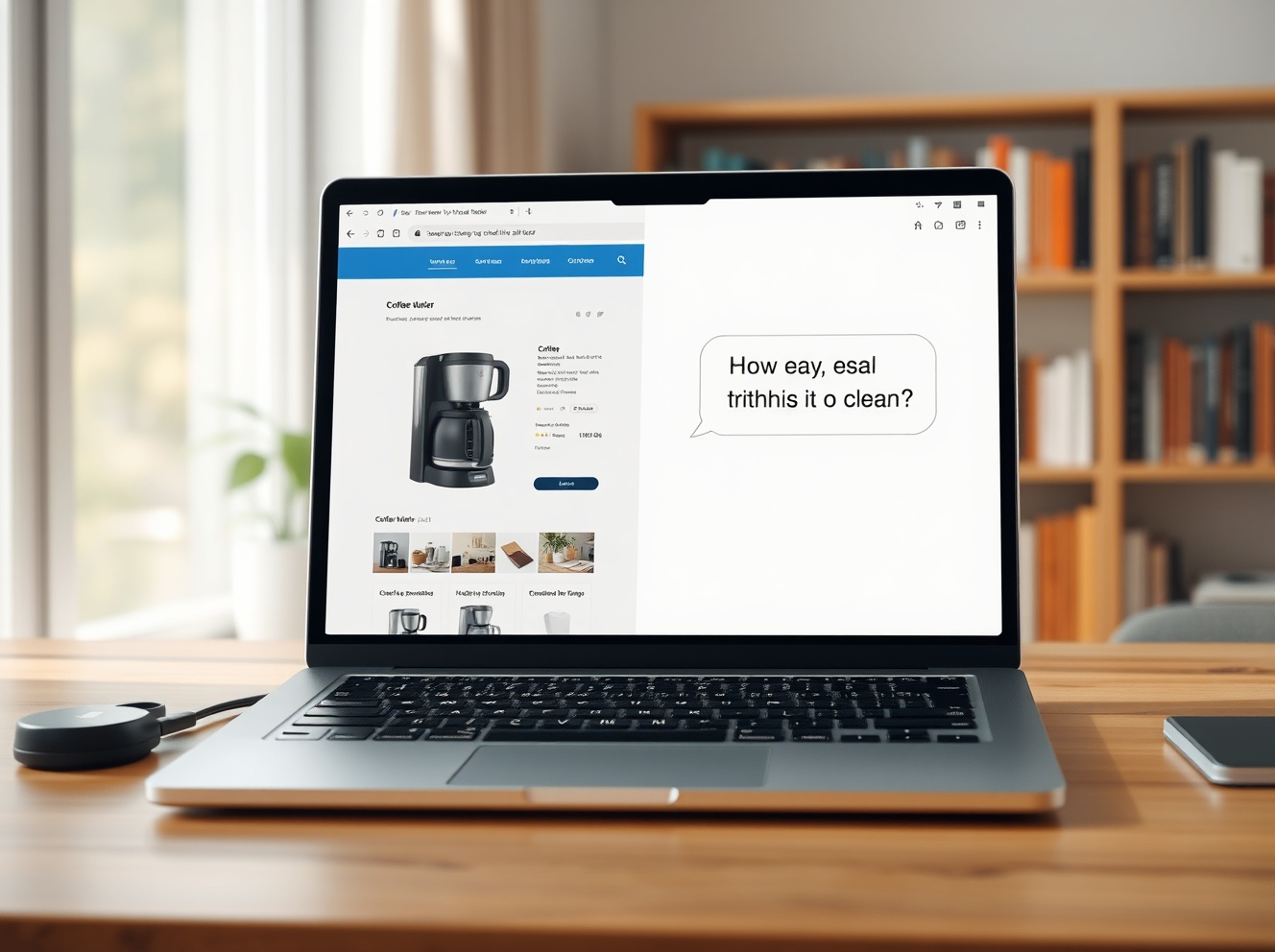
Google AI Mode Unleashes Revolutionary Side-by-Side Web Exploration for Smarter Research
In a significant evolution of its search experience, Google has launched a transformative feature for its AI Mode, enabling users to view webpages directly alongside its conversational AI assistant. This side-by-side interface, announced on April 30, 2025, and now rolling out in the United States, aims to fundamentally change how people research, compare, and consume information online by reducing disruptive tab switching.
Google AI Mode Integrates the Web for Contextual Queries
Google’s latest update to its AI-powered search represents a strategic shift from a purely conversational tool to an integrated research companion. The core functionality allows any link clicked within the AI Mode conversation on Chrome desktop to open in a dedicated panel beside the chat. Consequently, the AI retains the full context of the user’s initial query and the specific webpage content. This architecture enables highly specific, follow-up questions grounded in the page a user is actively viewing.
For instance, a user researching coffee makers can describe their needs to AI Mode, receive curated suggestions, and then click a link to a retailer. With the product page open side-by-side, they can immediately ask, “Does this model have a programmable timer?” or “Compare its warranty to the model mentioned earlier.” The AI assistant then synthesizes information from the open page and its broader web knowledge to deliver a precise answer. Early testers reported this seamless integration helped maintain focus and significantly accelerated complex tasks like academic research, product comparisons, and trip planning.
The Technical Shift Behind Side-by-Side Browsing
This feature is more than a simple layout change; it reflects deeper advancements in Google’s AI infrastructure. The system must now perform real-time context analysis of two distinct information streams: the live webpage DOM elements and the ongoing conversational history. Industry analysts note this requires robust multimodal understanding to parse text, images, and data tables from the open site. Furthermore, Google has implemented a new “cross-tab search” capability. Users can now tap a “plus” menu in the search box to include content from their already-open Chrome tabs—whether on desktop or mobile—into an AI Mode session.
This creates a powerful, personalized research environment. A student with multiple academic journal tabs open can add them to a query and ask AI Mode to “summarize the conflicting viewpoints on this economic theory.” Similarly, a traveler can combine open tabs for hotels, flights, and guides to ask for a synthesized day-by-day itinerary. The feature underscores Google’s move towards an agentic AI model that acts upon and within a user’s existing digital workspace, not just as a separate Q&A box.
Addressing the Information Verification Challenge
A critical implication of this design is its potential impact on digital literacy and source evaluation. By placing a source webpage and an AI interpretation directly adjacent, Google may encourage users to critically cross-reference information. However, experts in human-computer interaction warn the convenience could also lead to over-reliance on the AI’s synthesis. Google’s blog post emphasizes the tool is designed to “explore relevant websites” and “compare details,” positioning it as a starting point for investigation rather than a definitive answer engine. The company has not detailed specific guardrails to prevent the AI from misinterpreting or hallucinating content from the paired webpage, a known challenge for large language models.
Comparative Analysis: Google’s Position in the AI Browser Race
Google’s launch accelerates the competitive integration of AI directly into the browser interface. This move can be contextualized against recent industry developments:
| Platform | AI Integration Approach | Key Differentiator |
|---|---|---|
| Google Chrome (AI Mode) | Side-by-side webpage + chat; cross-tab context | Deep integration with Google Search index and real-time page analysis |
| Microsoft Edge (Copilot) | Sidebar overlay with page-specific actions (summarize, explain) | Tight coupling with OpenAI models and Microsoft 365 ecosystem |
| Arc Browser (Arc Search) | “Browse for Me” feature that compiles multiple sites into a single report | Focus on distillation and summarization to replace traditional browsing |
| Opera (Aria) | Browser-native AI chatbot with web access | Built-in, no-extension access to OpenAI’s Composer infrastructure |
Google’s strategy is distinct in its attempt to preserve the traditional “link-clicking” web behavior while augmenting it, rather than replacing the act of visiting websites entirely. This may appeal to users wary of fully opaque AI summaries, offering a transparent middle ground where the source material remains visible and verifiable.
Availability, Privacy, and the Roadmap for AI Mode
The new side-by-side mode and cross-tab search are currently available only in the U.S. for English-language users on Chrome desktop. Google has stated plans for regional and linguistic expansion but provided no specific timeline. From a privacy perspective, the feature raises questions about data processing. When a user opens a webpage side-by-side with AI Mode, Google likely processes the page content to enable contextual Q&A. The company’s privacy policy for AI Mode presumably covers this, but the visibility of the processing is now more explicit to the end-user.
The rollout follows Google’s incremental deployment pattern for its generative AI features, allowing for performance monitoring and user feedback collection. The success of this interface could dictate future developments, such as:
- Multi-page analysis: Comparing content across two or more open webpages simultaneously.
- Vertical-specific agents: Tailored AI behaviors for shopping, coding, or academic research within the side-by-side view.
- Third-party integration: Allowing supported websites to expose specific data schemas to the AI for more accurate query handling.
This update signals Google’s commitment to making its foundational search technology more interactive and assistive, directly within the browsing flow where information discovery happens.
Conclusion
Google’s new side-by-side AI Mode feature marks a pivotal step in blending conversational AI with the traditional web. By eliminating the friction of tab switching, it creates a more fluid and focused research environment. This development highlights the industry’s broader shift towards contextual, agent-like assistants that work within a user’s existing digital space. While questions about information accuracy and user behavior remain, the update solidifies Google’s strategy of evolving its core search product through deep, practical AI integration. The success of this Google AI Mode experiment will likely influence how all major browsers design their intelligent assistance tools moving forward.
FAQs
Q1: How do I access the new side-by-side AI Mode in Chrome?
First, ensure you are using Chrome on a desktop computer in the U.S. with your language set to English. Look for the “AI Mode” option in your search settings or address bar. Once in an AI Mode conversation, simply click any web link provided in the response, and it will automatically open in the new side-by-side panel.
Q2: Does the AI read every webpage I open side-by-side?
Yes, to answer contextual questions about the page, Google’s AI systems need to process the content of the webpage you have opened in the side-by-side view. This processing is governed by Google’s existing AI Mode and general privacy policies.
Q3: Can I use this feature on my phone or tablet?
The core side-by-side viewing is currently limited to the desktop version of Chrome. However, the related “cross-tab search” feature, which lets you include open tabs in an AI query, is available on both Chrome desktop and mobile.
Q4: Is this feature free to use?
Yes, like the standard Google AI Mode, this side-by-side browsing functionality is freely available to users. There is no announced subscription or premium tier for this capability.
Q5: How is this different from Microsoft Edge’s Copilot sidebar?
While both offer AI help alongside webpages, Google’s implementation opens the actual webpage in a dedicated panel within the same window, preserving the full site functionality. Edge’s Copilot typically appears as an overlay sidebar that summarizes or acts on the page content but doesn’t display the full, interactive page itself side-by-side with the chat.
This post Google AI Mode Unleashes Revolutionary Side-by-Side Web Exploration for Smarter Research first appeared on BitcoinWorld.
